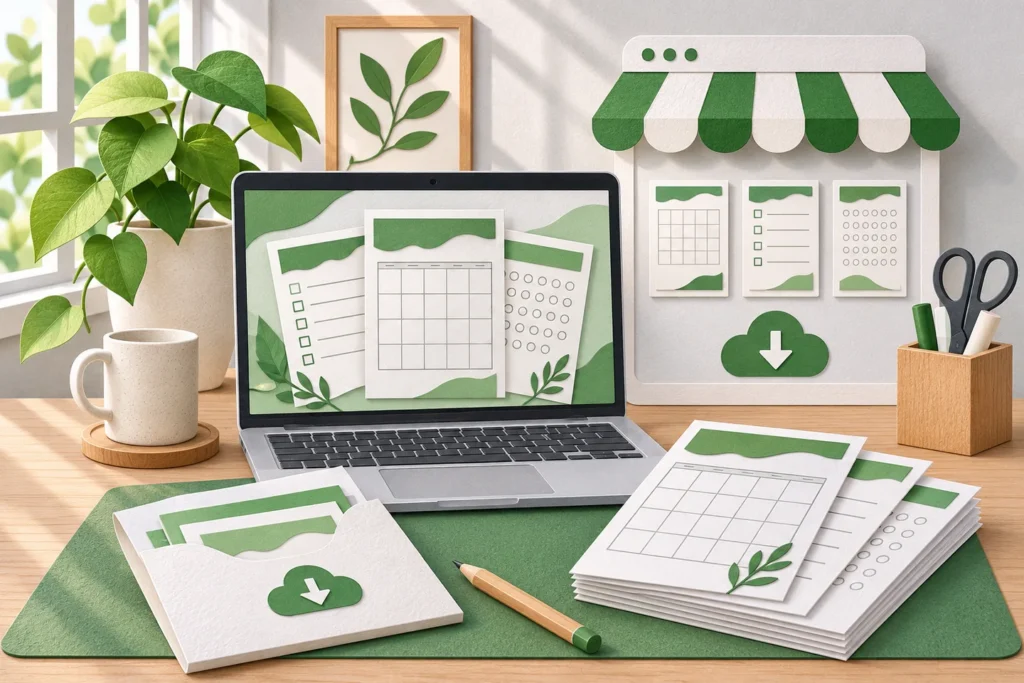
A useful digital download solves a specific problem for a specific buyer. To start selling on Etsy, choose that problem, create an original product, test the files and publish a listing that explains exactly what the customer receives. A large catalog and paid advertising can wait until you understand whether the first product is useful.
Digital products can be delivered repeatedly without packing a physical order, but they still require design, testing, customer support and updates. A template nobody buys produces no income, and a confusing download can create work every time it sells.
This guide walks through a small first launch. It does not promise passive income or assume that a popular-looking category will be profitable for a new shop.
Start with a buyer’s task, not a list of trendy products
“Sell planners” is too broad to guide a good product. A weekly rehearsal planner for a volunteer music director is more specific: it suggests a user, a recurring task and a context in which the file will be used.
Other starting ideas might include a simple inventory sheet for a weekend craft stall, a moving checklist for a shared household or an editable event timeline for a small community group. These are brainstorming examples, not researched recommendations that those niches have unmet demand.
Choose a task you understand well enough to improve. Write a one-sentence product promise using a concrete action: organize appointments, compare quotes or prepare an event. Avoid claims that the file will transform someone’s finances or guarantee business results.
If you cannot explain when a buyer would open the file and what they would do next, the idea probably needs more work before design begins.
Research the problem without copying another seller
Search Etsy as a buyer would. Note the words used in relevant listings, common file types, explanations that answer questions well and recurring points of confusion in public reviews. A review can suggest a question to investigate; it does not give you permission to copy another product or its wording.
Record observations in a small research sheet. Separate what you can actually see from what you are guessing. A shop’s apparent popularity does not reveal its expenses, refund history, advertising costs or the sales attributable to one specific item.
Speak with potential users if you can. Ask how they currently handle the task, what they find awkward and which software or paper size they use. Questions about their present behavior are more useful than asking whether they would buy an imaginary product at an unspecified price.
Use the research to identify a modest improvement you can deliver: clearer instructions, a simpler workflow, an accessible layout or a format suited to a particular task. Do not build a business around a claim of being unique unless you have evidence to support it.
Understand what Etsy treats as a digital listing
Etsy distinguishes between ready-made instant downloads and files made to a buyer’s specification. Its digital-listing guidance says digital items must be made or designed by the seller. Check the current Creativity Standards before choosing what to sell.
For an instant download, Etsy currently allows up to five uploaded files, with a maximum of 20 MB for each. Plan the package before exporting: the customer may need the main product, instructions and a clearly organized archive rather than an assortment of unexplained files.
Ownership of a design tool subscription does not automatically give you unrestricted rights to resell every font, photograph, illustration or template it contains. Review each asset’s license and the intended use. If rights are unclear, replace the asset or obtain appropriate permission instead of assuming a small modification makes resale acceptable.
Keep a record of your original work and the permissions for third-party components. This makes later product updates easier as well as supporting a more deliberate creation process.
Build the smallest complete product
A small product should still be complete. If you are creating an event timeline, include the fields needed to use it, clear examples and instructions for making a fresh copy. Avoid adding twenty decorative variations before the underlying workflow works.
Choose a format that matches the buyer’s task. A PDF may suit a printable checklist. A spreadsheet may suit calculations or reusable rows. An editable design may require a specific application or account; explain that requirement before purchase.
Use fictional information in examples and remove hidden personal data. Check spreadsheet formulas on empty rows, zero values and ordinary mistakes. If the file contains a printable layout, test both legibility and margins rather than relying on how attractive it looks on your monitor.
Consider readability: adequate contrast, clear labels, usable type sizes and enough space to enter information. A busy background should not make a practical document difficult to use. Where accessibility matters to your intended audience, test with the relevant tools and users rather than making an unsupported accessibility claim.
Test the package with someone who did not build it
Ask a willing reviewer to open the exact files you intend to supply. Give them the instructions and a realistic task, then observe where they hesitate. Do not explain every step aloud; that hides weaknesses in the product’s own guidance.
Can the reviewer identify the right starting file? Do they understand which elements are editable? Does a printout look as expected? Can they complete the task without breaking a formula or overwriting the only usable copy?
Keep feedback specific. “Looks nice” does not establish that a product works. A note that a buyer cannot find the instructions or that an example date looks like a required field tells you what to fix.
Package a clean final version and use file names that make sense outside your own folders. Include a short start-here document explaining contents, requirements, permitted uses and how to obtain help. Describe any license restrictions plainly and seek qualified advice when you need a legally reliable license agreement.
Calculate the selling costs before setting a price
Etsy’s fee guide currently lists a $0.20 USD listing fee and a 6.5% transaction fee. Payment processing is an additional charge, and other costs can apply, including advertising, currency conversion and taxes on fees. Check the rates and setup requirements applicable to your shop’s country instead of treating two headline fees as the full cost.
Here is a deliberately limited example. On a hypothetical $12 sale, a 6.5% transaction fee is $0.78. Subtract that and an assumed $0.20 listing or renewal charge and $11.02 remains before payment processing, advertising, taxes, refunds, support and creation time. That figure is not profit.
Build your own calculation with the charges that actually apply. Include the time spent creating and maintaining the file, not just the seconds required for delivery. A low-priced product with frequent support requests can consume more effort than its sales total suggests.
| Item to track | Why it changes the result |
|---|---|
| Collected sales revenue | Listed prices alone do not show what customers paid |
| Listing and transaction charges | These reduce money retained from sales |
| Processing and applicable advertising fees | These can materially change per-order proceeds |
| Refunds and customer-support time | Delivery is automatic; problem resolution is not |
| Product creation and updates | Initial and ongoing work must fit the business case |
Do not infer a sustainable price from a competitor’s discount banner. You cannot see that seller’s full economics, and copying a low price may make your own product impractical.
Write a listing that answers buying questions
Your listing should quickly explain what the product is, who it helps and which files are included. Put important limitations where buyers can see them. If nothing physical is shipped, make that explicit in both the description and relevant listing images.
Explain paper sizes, software requirements, whether editing is possible and what is excluded. A buyer should not have to infer from a polished mockup whether a frame, printed booklet or application subscription is included.
Show representative pages or screens that accurately reflect the file. If an illustration presents a possible use, label it clearly. Do not imply that a decorative mockup is a photograph of an included physical product.
For search, use the words a suitable buyer would naturally use. Etsy’s current title guidance favors clear, readable descriptions and explains that search considers more than the title alone. Relevant tags, attributes and descriptions matter too; repeating the same phrase awkwardly is not a substitute for a helpful listing.
Keyword choices are hypotheses to test. This article does not have verified search-volume data, and a keyword appearing in a listing cannot guarantee placement or sales.
Launch with a spending limit and useful measurements
Publish a small, coherent offer rather than buying a large bundle of tools and hoping volume will solve uncertainty. Before launch, decide how much money and time you are prepared to spend testing the idea.
Track listing visits, orders, net proceeds and the questions people ask. Avoid making decisions from a handful of visits: small samples are noisy. Equally, do not keep paying for traffic indefinitely when the product or listing is not answering the buyer’s needs.
If people see the listing but rarely open it, review relevance and the first image. If they open it but do not buy, examine the explanation, perceived usefulness, price and compatibility requirements. These are diagnostic possibilities, not a way to identify one guaranteed cause from analytics alone.
Change one meaningful element at a time and record when you changed it. A new price, title, image and product bundle introduced together make it difficult to understand what helped.
Support customers without rebuilding the product for every order
Keep answers to recurring questions in a short help document. If multiple buyers misunderstand the same point, improve the file or listing instead of assuming every buyer failed to read.
Distinguish a product fault from a request for customization. Correct genuine errors, explain the support you provide and follow the platform’s applicable policies. Do not assume that writing “no refunds” overrides every consumer rule or platform decision.
Maintain versioned working files so you can identify what changed. Before replacing a customer download, test the revised package and consider how existing buyers will be affected. Avoid selling a product that depends on a service you are unable or unwilling to maintain.
Keep receipts and sales records. US sellers can start with the IRS Gig Economy Tax Center; other readers should check their own tax authority. Specific registration and tax obligations depend on the circumstances of the business.
Decide whether the product deserves a second version
After a defined testing period, review what you learned. Did buyers understand the offer? Were support requests manageable? Did the work produce money you actually retained? Which improvements came from real user needs rather than your urge to keep designing?
Continue when the evidence supports another experiment. Pause or change direction when the economics or customer fit do not work. You do not need to keep expanding a catalog merely because you already spent time creating the first item.
For a broader comparison with other business models, see our guide to low-maintenance side hustles. The most useful first outcome is not a claim of passive income. It is a tested product, a clearer understanding of the buyer and enough information to make the next decision responsibly.
Research checked November 16, 2026. Platform rules and fees can change. All sales calculations are hypothetical and are not evidence of typical seller earnings.
Cover illustration generated with AI.
This guide is educational and uses AI-assisted research and drafting. Examples labeled illustrative are calculations, not earnings reports. Check current source terms before acting. Read our editorial approach.